By
| Scott Allen (New York)
|
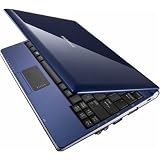
This Samsung netbook is surprisingly nice!
I scoured every review on all the netbooks before deciding to buy
this one first. Having seen early generation netbooks, the question
loomed in my mind - is it a piece of junk? This thing is less than
$400.
The answer is - a resounding NO! This is a nice netbook, and for many people it could be their primary PC.
Build Quality/Looks: No problem here. It has very nice fit and
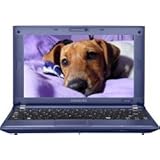
finish. The Blue Sapphire model actually looks quite expensive. Next to
both a $3000 Sony Vaio and a $2000 Dell notebook, when closed it
compared favorably. The fake chrome bezel around the keyboard adds a
nice touch.
Screen: Very nice for a small screen. Yes, it's much smaller than
notebook screens, but for basic web browsing and email it's fine.
Bright, sharp and clear - Samsung is one of the world's leading LCD
panel makers, so no surprise here.
Keyboard: decent, really doesn't feel Lilliputian as I feared. You
could easily type emails and short documents with it. Professional
writers, bloggers or excel jockeys will be dissatisfied. The keys need
a fair amount of force to engage - I found I missed the "o" key a few
times until I realized I wasn't typing hard enough.

Touchpad: the touchpad felt smallish, but the whole thing is small
so I think that's just a matter of getting used to it. The right and
left click buttons felt flimsy, but they worked fine. What was really
cool was the partial multi-touch controls which are similar to what
Apple uses in its track pads. This is very useful, especially for
scrolling on the web browser, which you do a lot with the small screen.
Connections: very nicely loaded - 3 USB ports, external video
screen, etc. No complaints in this department. Wifi is 802.11n. I do
not believe the netbook has bluetooth - if it does I was unable to find
it.
OS/software: Windows 7 Starter runs very well on this machine, and
is a nice step up from annoying Vista. I especially like the better
control of popups through the "Action Center" and the "Gadgets" which
are a copy of Apple Widgets. The task bar, another Apple innovation,
also works nicely.
Battery life: astounding! This was one of the strong points about
this netbook. I easily got 7 hours of life, even with heavy video
viewing, browsing and downloading. This alone is one of the two biggest
reasons to buy this little beauty.
What are the cons?
The biggest single thing I disliked about this machine was the slow
Atom processor. I am more impatient than most and another person in my
office thought it was fine. This is the biggest drawback - more so than
the small keys and keyboard. Even opening basic windows functions like
settings and email took noticeably longer than it does with a
full-fledged Intel chip. Part of the slowness could have also been the
standard 1GB DRAM -I did not upgrade that so maybe that solves the
problem.
This netbook should instill fear in the hearts of HP and Dell
executives everywhere. It is a very nicely equipped machine that will
be a nice "satellite" computer for travelers that are tired of lugging
around heavier machines. It will suit senior citizens nicely as a
primary machine, and will be decent for the Facebook/twitter generation
or "non-power-users." Even power users will find the slow speed only
mildly annoying and just may fall in love with it for the battery life
and extreme portability.
Samsung Netbook after doubling DRAM from 1GB to 2GB:
I installed the 2GB in the N140, swapping for the 1GB that was
already there. (Not sure what we do with the old 1GB now). It was very
easy to do, you just open a compartment with a screwdriver, pull out
the old memory and pop in the new memory.
My notes on performance before and after:
* Boot-up. With 1GB, it took 44.6 seconds. With 2GB, only 33.2
seconds. Before the upgrade, the machine was using 61% of the memory
just sitting there running no applications, and only 33% after
installing the extra memory.
* Shut-down. 1GB: 30.0 seconds. 2GB: 16.4 seconds.
* Open Word document. 1GB: 14.9 seconds. 2GB: 11.7 seconds. Again, memory usage was 61% before upgrade, afterward only 35%.
* Open Control Panel: 1GB: 4.5 seconds. 2GB: 2.5 seconds. This is good because the N140 seemed very "laggy" before
General observations:
Using the internet still seemed slow, but may have been the
connection, because once a youtube video loaded, it ran very smoothly,
even in full screen mode. iTunes froze up when running a video, but it
looked like the connection. iTunes was very smooth and fast when
running only music without video.
You'll have to see how much improvement you see in speed as you use
it, but on the basics, it looks like it is indeed almost twice as fast.
Samsung N140-14B 10.1-Inch Sapphire Blue Netbook - Up to 7.5 Hours of Battery Life (Windows 7 Starter)

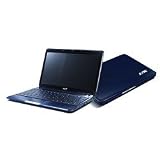 Acer Aspire 1410-2801 - C SU2300 / 1.2 GHz - RAM 2 GB - HDD 160 GB - GMA 4500MHD - Gigabit Ethernet - WLAN : 802.11 a/b/g/n (draft) - Windows 7 Home Premium 64-bit - 11.6' Widescreen TFT 1366 x 768 ( WXGA ) CineCrystal - camera - sapphire blue (Personal Computers)